Keep tomorrow
in the picture.
Bring budgets, savings goals, bills, debts, and reserved shopping lists into your Money Plan. Track expected paydays separately from money you’ve actually received.
 TipidDoo.
A little help for everyday money
Track what comes in. Know what goes out. Make room for bills, groceries, and your next goal—with Doo, your everyday money buddy.
Android · Local-first records · Available on Google Play
 Hey, I’m Doo!Let’s make everyday money clearer.
Real app screens · Fictional sample data
YOUR EVERYDAY, A LITTLE MORE ORGANIZED
Your cash today, your plans until payday, and the little purchases in between. Give them a place in one app.
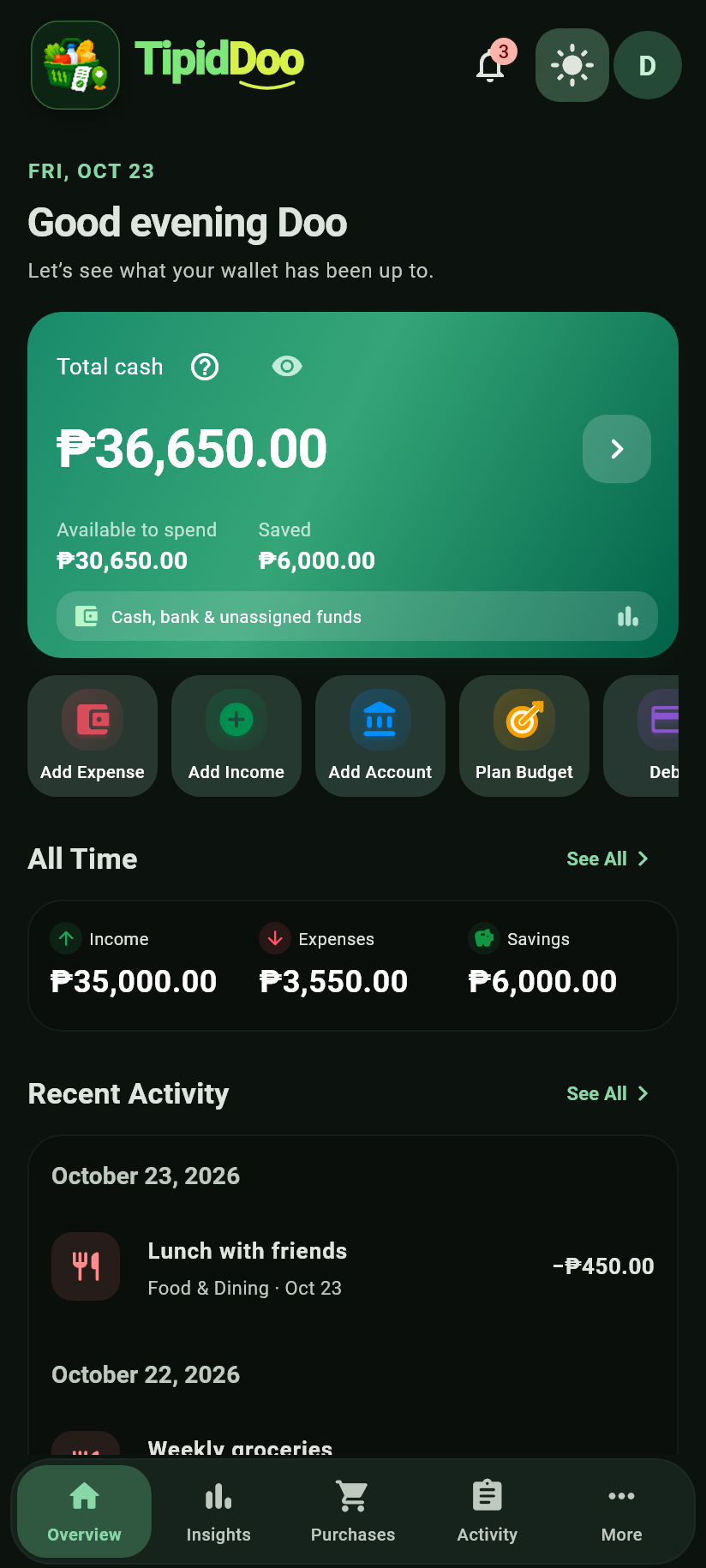
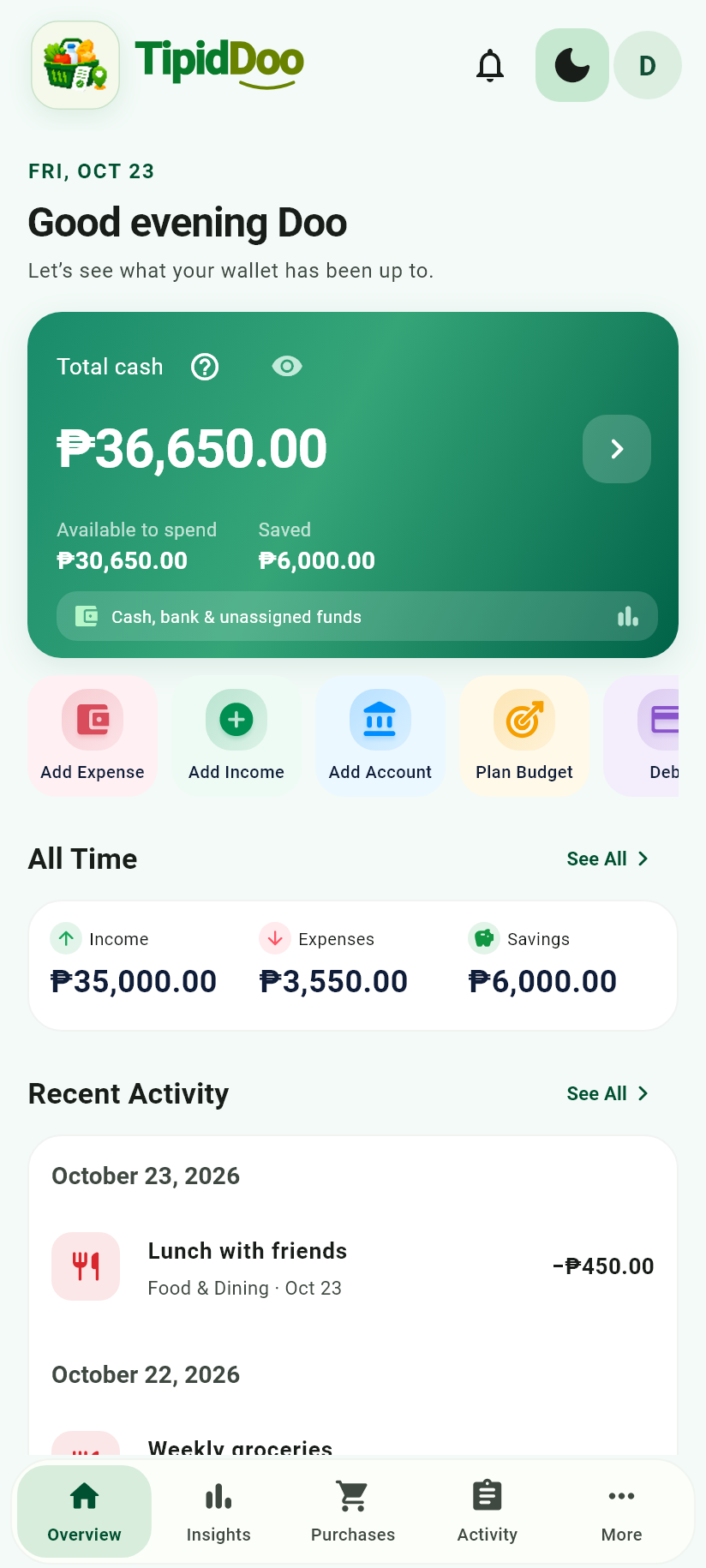
Give every money move a place. Record what comes in and what goes out, keep track of your accounts, and see it all together in Overview.
TAKE A LOOK AROUND
Explore the current app, from your first entry to your next grocery run. Tap any screen for a closer look.
Cash, savings, and recorded money moves in one place.
Keep your next income date and planned commitments in view.
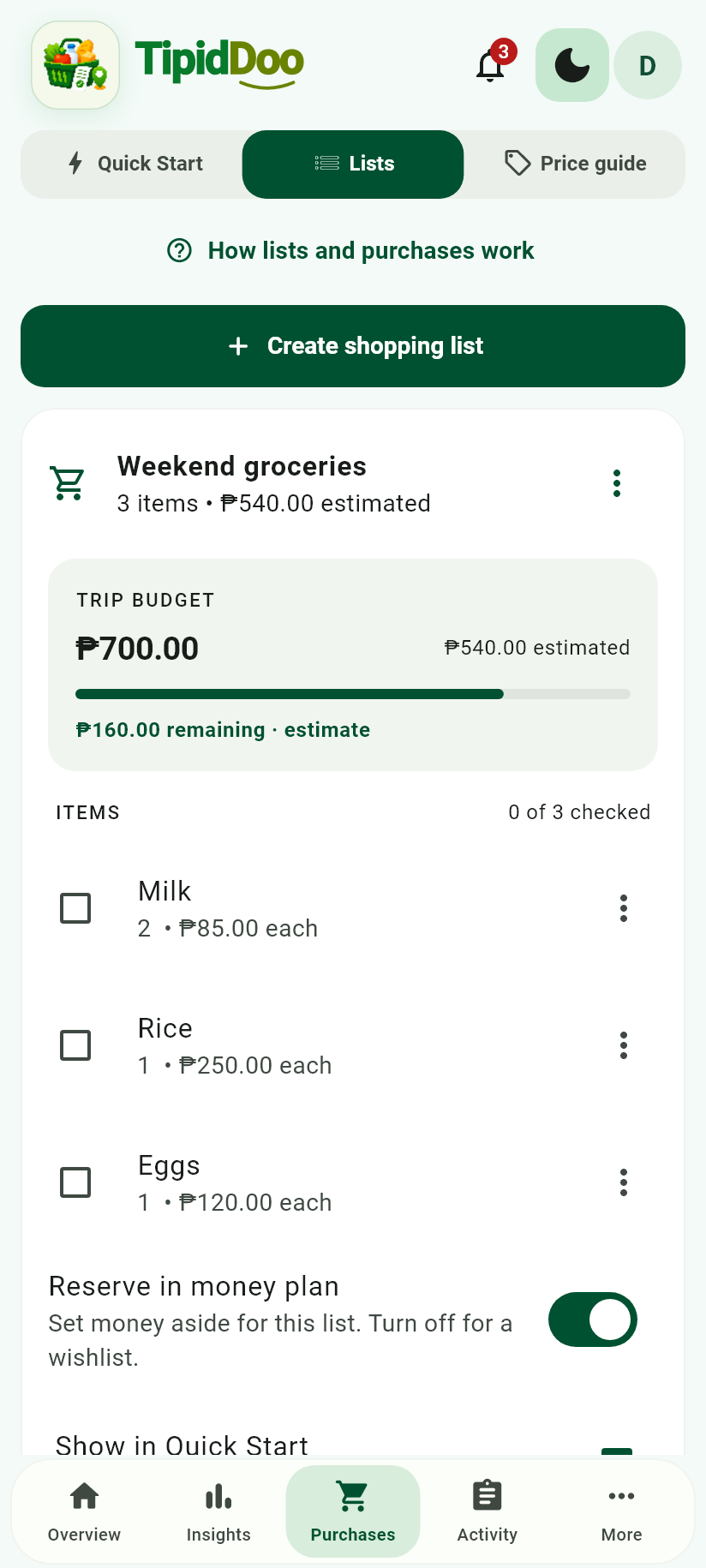
Make a list, estimate the total, and track your trip budget.
See how your recorded expenses compare with your category budgets.
Manually track bank, e-wallet, and card accounts in your own way.
Keep track of money lent, partial returns, and agreed return dates.
Captured from the current app on October 23, 2026. Fictional sample records; PHP is shown as an example. Android system bars are omitted.
Your everyday money buddy.A FAMILIAR FACE. A LITTLE ENCOURAGEMENT.
You don’t have to figure everything out at once. Doo walks you through the actual app with temporary practice examples, from choosing a currency to recording your first expense.
PRACTICAL TOOLS. A FRIENDLIER FEEL.
No perfect-spender energy required. Start with one entry, one list, or one small plan.
Bring budgets, savings goals, bills, debts, and reserved shopping lists into your Money Plan. Track expected paydays separately from money you’ve actually received.
Use voice shortcuts to draft an entry, or bring your shopping list along hands-free. Review the details before saving.
Voice features depend on device support and permissions.
Your financial records live on your device. Keep using saved money records and lists offline after your first Google sign-in.
How your data is handledCheck saved grocery prices and available shared reports in Price Guide. Choose a country, compare package sizes, and check when a price was observed.
A FEW THINGS YOU MIGHT BE WONDERING
A little more about how TipidDoo fits into your day.
You enter and maintain your accounts and transactions yourself. TipidDoo helps you track balances and plans; it doesn’t connect to your bank or make payments.
After your first successful Google sign-in, saved financial records, purchases, and shopping lists work offline. Shared Price Guide searches and some device speech-recognition features need an internet connection.
Price Guide helps you compare saved prices and available shared grocery-price reports for your selected country. Check the product size, store, and observation date. Prices are a reference and can change. Contributing your own reports is optional.
Yes. Purchases supports everyday expense categories, total-only entries, itemized receipts, and optional receipt photos. You can also record income and expenses, track IOUs and split bills, and set up budgets and savings goals.
No. Your income schedule helps you plan for an expected payday. You confirm an income receipt and review its amount and account before it changes your recorded balance.
Use Settings to export a backup and restore that file on your new phone. Signing in alone doesn’t transfer your financial records. Keep your exported backup somewhere safe.
TipidDoo stores financial records locally. Exported backups and Android device backup may create additional copies under your control. If you opt into Price Guide contributions, product, price, store, date, and saved-location details may be shared. Read the privacy policy for the full details and your controls.
TipidDoo is available for Android on Google Play. Download it to start organizing your everyday money, budgets, and shopping lists.
ANDROID · AVAILABLE ON GOOGLE PLAY
Your everyday money and shopping companion.
Make Every Money Count with TipidDoo.
Available now on Google Play for Android 7.0 and up.
 A little buddy.